Text Wallpaper: By yourself1.2
Publisher Description
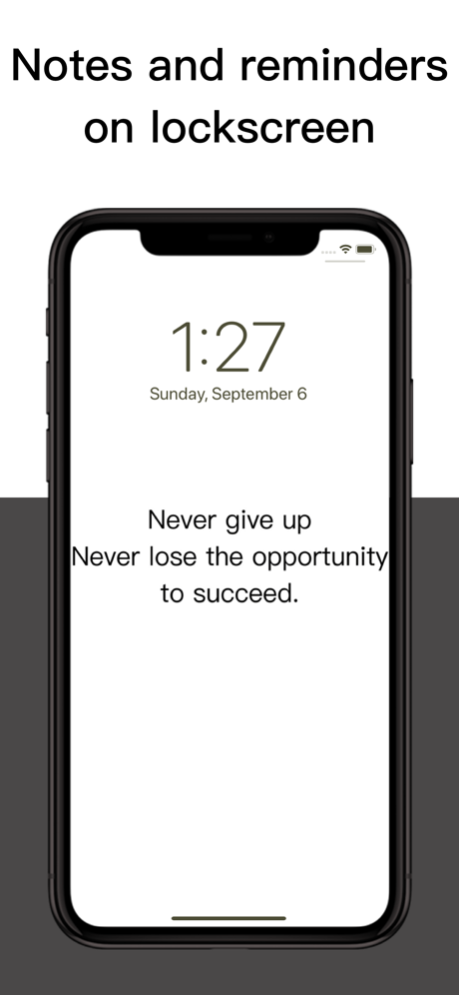
Write important notes and reminders to your lock screen!
Remind yourself what to do every time you pick up your phone and unlock it.
Show your personal statement to your wallpaper and create your own unique wallpaper.
Main functions:
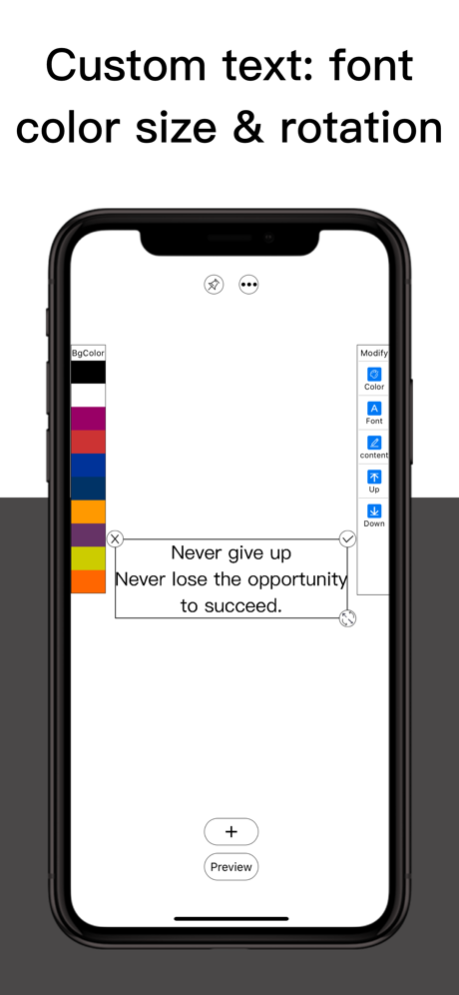
Add text freely
-Rich background color selection
-Support the modification of text color, font and content
-Support text zooming in and out
-Support position adjustment and free rotation
-Delete, pre / post one layer
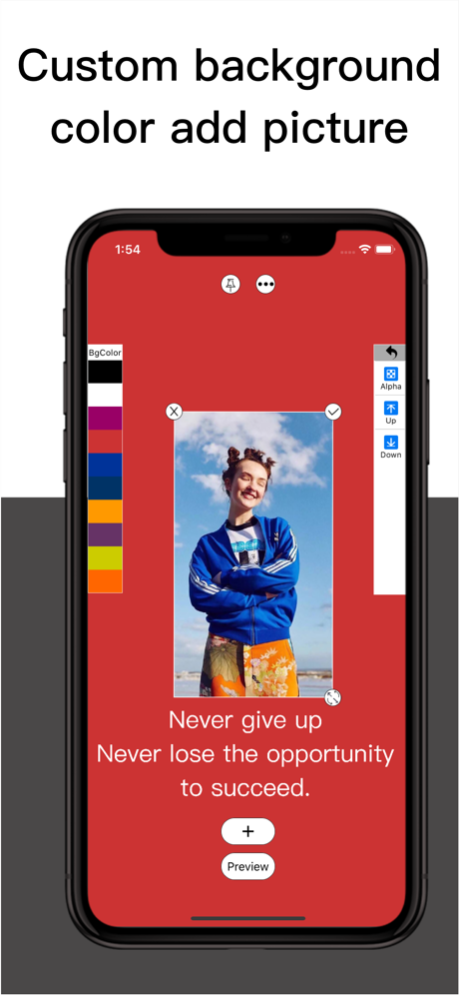
Free to add pictures
-Transparency support picture
-Zoom in, zoom out, rotate
-Delete, pre / post one layer
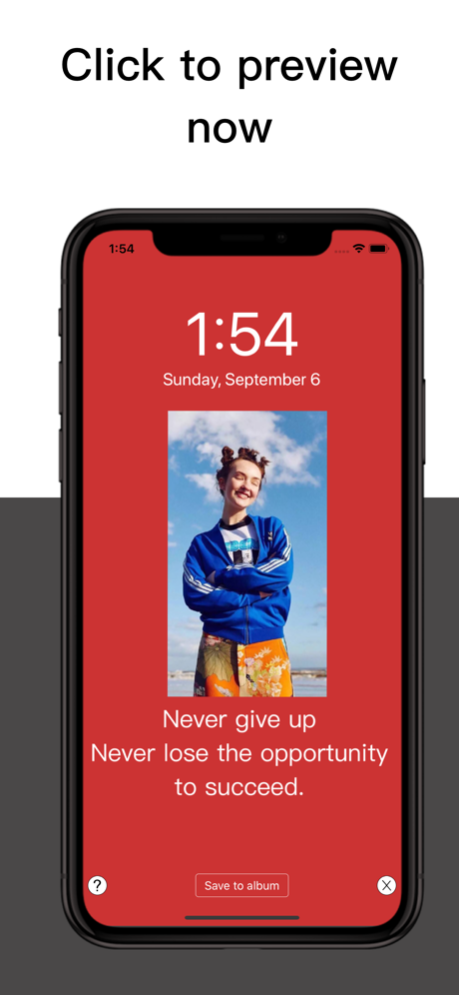
One click Preview
-Preview of lock screen of analog mobile phone
-Save to album
-How to change your phone wallpaper
To users: if you have any questions in the use process and have any ideas about the product, please feel free to contact us.
Email: 840718528@qq.com
Sep 20, 2020
Version 1.2
Hello, wait a long time!
This version we bring:
1. The operation is more convenient, and the elements can be zoomed in, zoomed out and rotated by two-finger touch
2. Save the wallpaper bigger and more high-definition, so that you can avoid the problem of being enlarged due to dynamics when using the wallpaper
3. More colors are available
4. Hope to get your app’s fair score
About Text Wallpaper: By yourself
The company that develops Text Wallpaper: By yourself is 登健 程. The latest version released by its developer is 1.2.
To install Text Wallpaper: By yourself on your iOS device, just click the green Continue To App button above to start the installation process. The app is listed on our website since 2020-09-20 and was downloaded 2 times. We have already checked if the download link is safe, however for your own protection we recommend that you scan the downloaded app with your antivirus. Your antivirus may detect the Text Wallpaper: By yourself as malware if the download link is broken.
How to install Text Wallpaper: By yourself on your iOS device:
- Click on the Continue To App button on our website. This will redirect you to the App Store.
- Once the Text Wallpaper: By yourself is shown in the iTunes listing of your iOS device, you can start its download and installation. Tap on the GET button to the right of the app to start downloading it.
- If you are not logged-in the iOS appstore app, you'll be prompted for your your Apple ID and/or password.
- After Text Wallpaper: By yourself is downloaded, you'll see an INSTALL button to the right. Tap on it to start the actual installation of the iOS app.
- Once installation is finished you can tap on the OPEN button to start it. Its icon will also be added to your device home screen.
Program Details
System requirements
Download information
Pricing
Version History
version 1.2
posted on 2020-09-20
Sep 20, 2020
Version 1.2
Hello, wait a long time!
This version we bring:
1. The operation is more convenient, and the elements can be zoomed in, zoomed out and rotated by two-finger touch
2. Save the wallpaper bigger and more high-definition, so that you can avoid the problem of being enlarged due to dynamics when using the wallpaper
3. More colors are available
4. Hope to get your app’s fair score
